Home

A living-room console for your home server.
The box under your TV, and a home on every screen in the house.
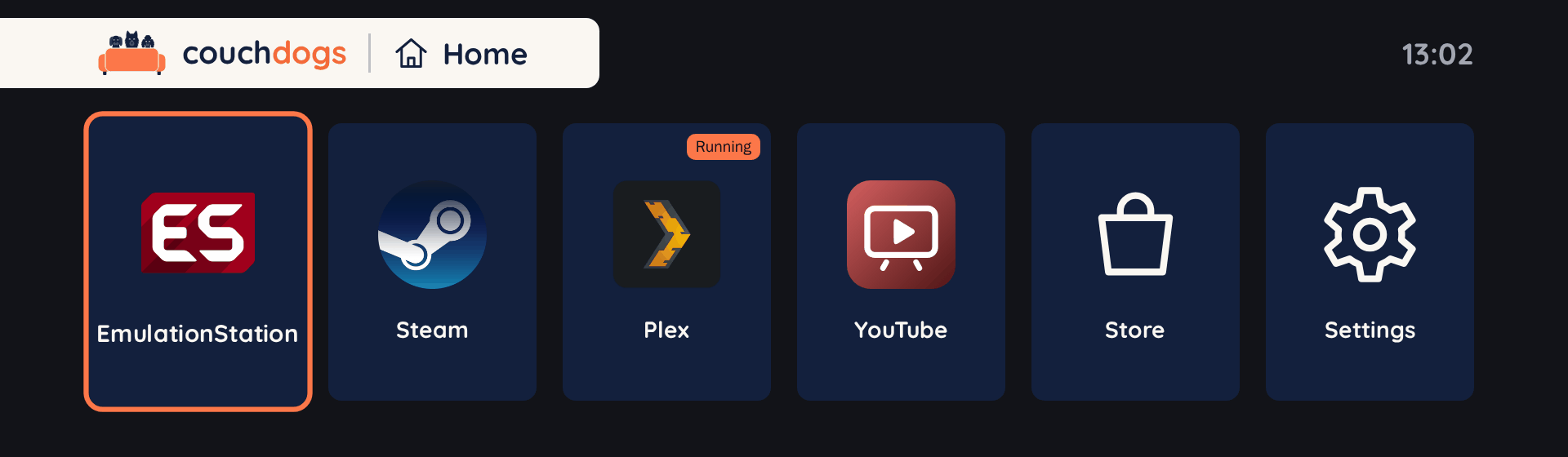
Couchdogs turns a Linux machine with a GPU into the thing under your TV: turn the TV on, pick up a controller or a remote, and you are on a home screen with your games, Plex, YouTube and the rest. The same machine gives every phone, tablet, laptop and handheld in the house a home of its own over Moonlight, and any screen can join another one. Apps keep running when you walk away: start a game on the TV, pick it up later on the handheld.
Status: early. Couchdogs runs one household's TV every day and 0.1.0 is its first release. Some hardware has never been tried (see What you need); the roadmap lists what is done and what is not.
What you can do with it
- Use it like a TV box. The TV wakes to the home screen. Everything works with a controller or a remote: no keyboard, no mouse, no desktop. A remote's number pad types letters, and a remote with a mic types what you say into a search box.
- Give every screen a home. Open the Couchdogs app on a phone, laptop or handheld and you get your own home screen, running on the server, with touch, mouse and keyboard. Each screen runs its own apps at the same time.
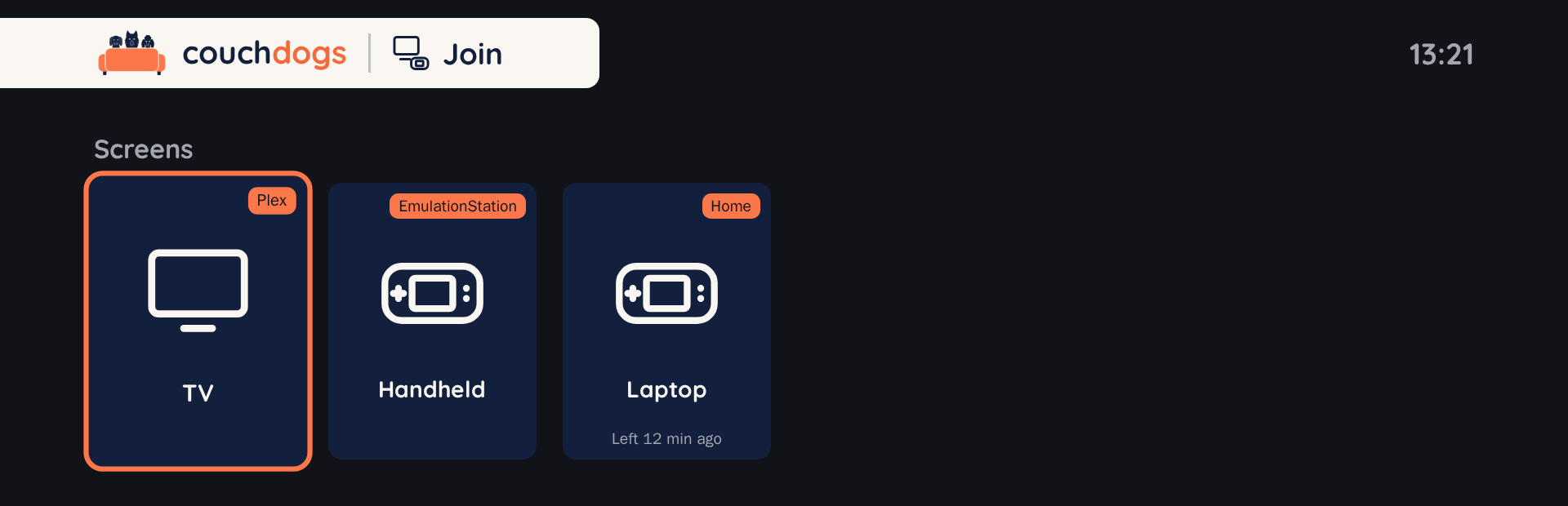
- Join another screen. Pick Join to see what the TV and every device are playing, then join one: you see its picture, hear its sound, and your controller becomes another player there. Watch the TV's Plex from the bedroom, or join a friend's game on the handheld. The TV can join a device too.
- Come back where you left off. Apps are programs running on the server, not a stream that ends when you disconnect. Close the laptop, come back hours later from any screen, resume.
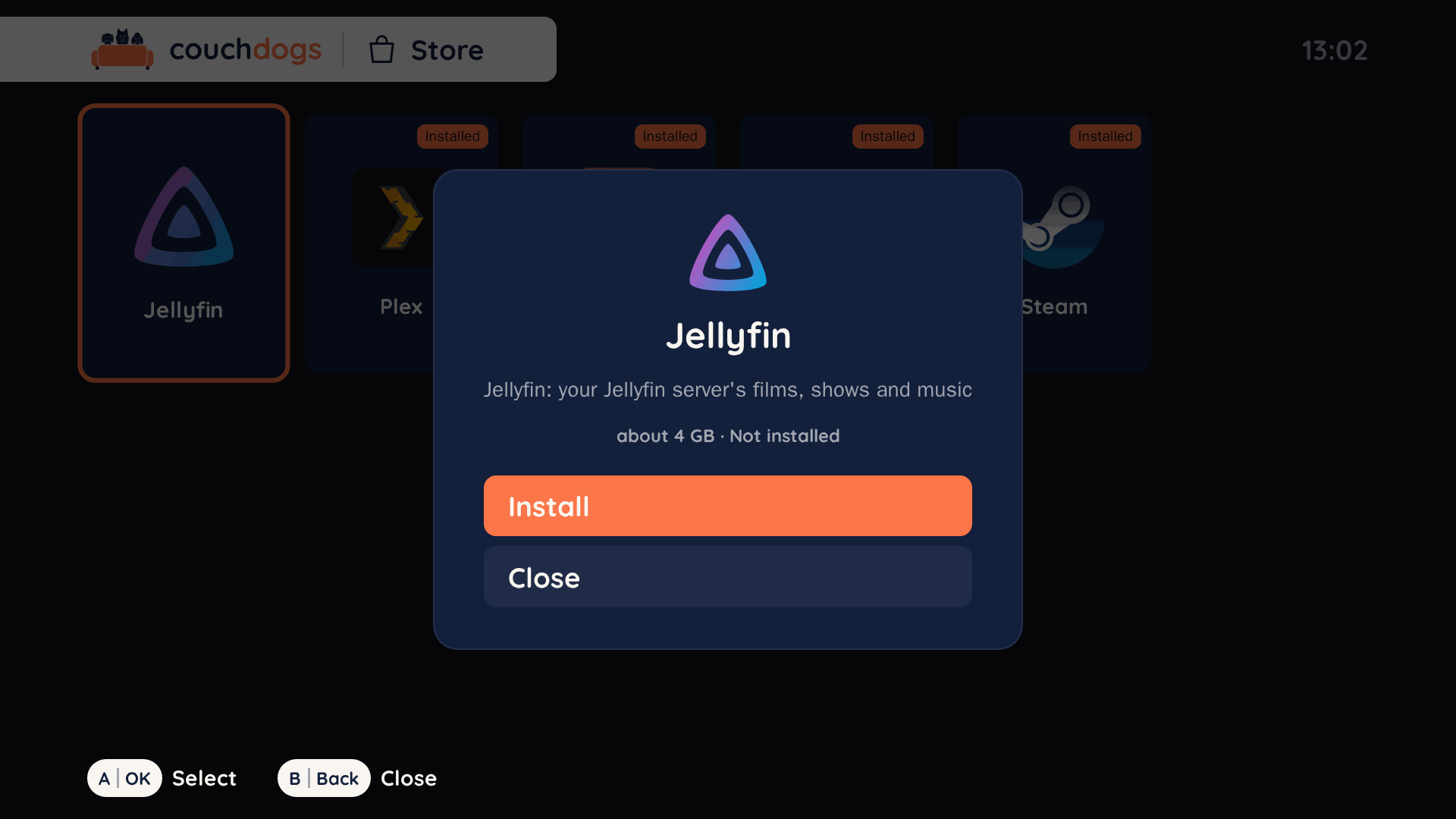
- Install apps from the store. It starts with EmulationStation (with emulators), Plex, Jellyfin, YouTube and Steam Big Picture. The home screen shows only what you installed. Apps are recipes in a signed store repo, so the list grows as people add them.
- Quit anything without fear. Quitting an app takes you home, a controller that drops reconnects, and every app has a memory limit, so a crashing game cannot take down the server or the other services on it.
 |
 |
| The store | Settings |
What you need
| Server | A Linux machine with Docker Compose and a GPU: AMD is what it runs on today; Intel and NVIDIA are supported but not yet tried. It can share the machine with your other services. Windows and macOS servers are not supported yet. |
| A TV (optional) | Wired to that GPU over HDMI or DisplayPort, the TV shows Couchdogs directly, with no streaming in between. With no TV attached, Couchdogs runs as a household server for your other screens only (built, not yet tried on a real install). |
| Other screens | The Couchdogs app for Windows, macOS, Linux and Android finds the server on your network and opens straight into its home. Other Moonlight clients (iPhone, iPad, Apple TV, ...) speak the same protocol and should connect too, picking Couchdogs from the server's app list; they are not tried yet. |
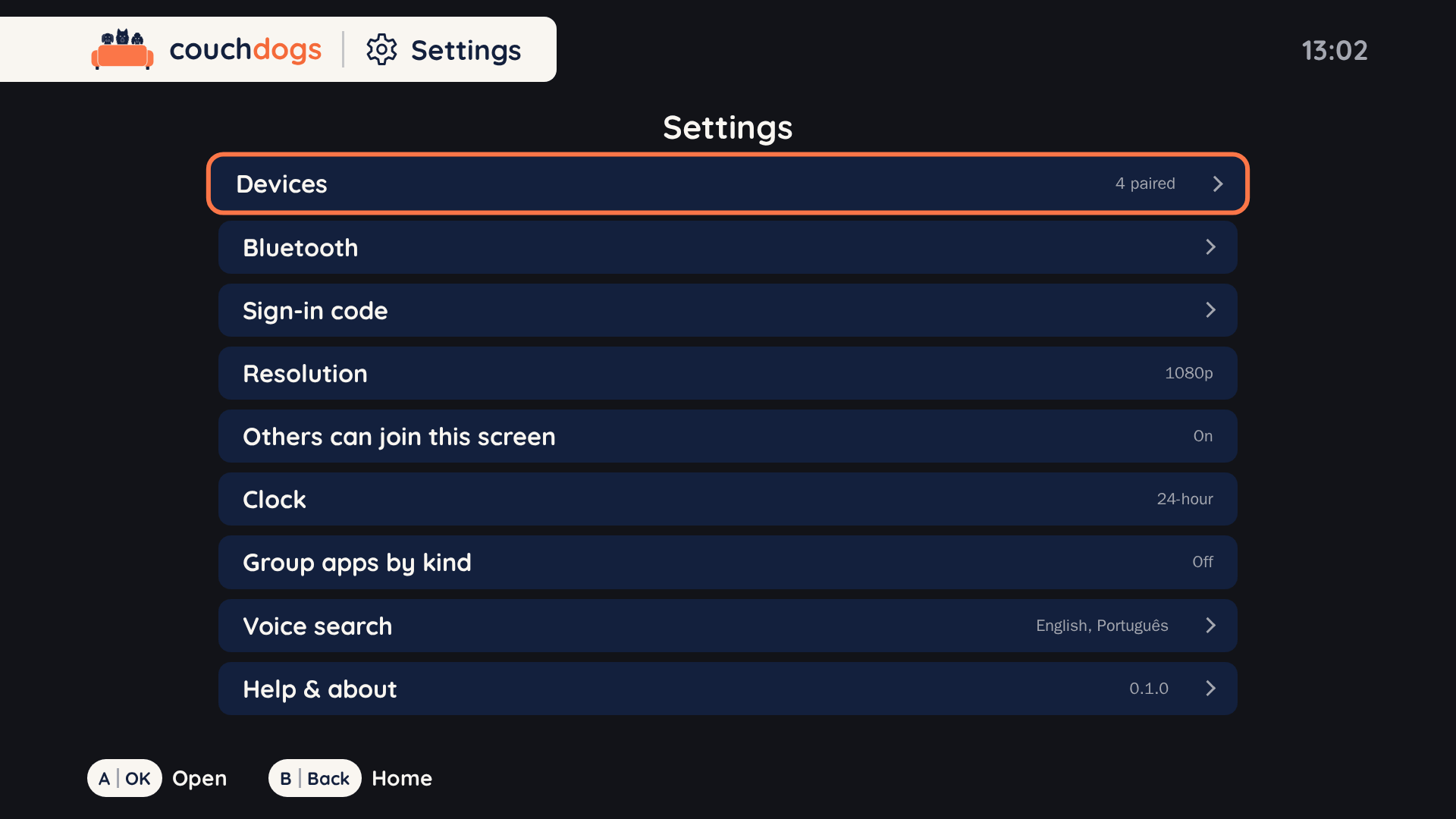
| Controllers and remotes | Bluetooth and USB game controllers, paired from Settings or plugged into the server. Bluetooth remotes, keyboards and mice; a remote that learns your TV's IR codes for its power and volume (HDMI-CEC is not used). A phone can type into any screen from Couchdogs' web page. |
Get started
curl -fsSL https://raw.githubusercontent.com/citizenjc/couchdogs/main/install.sh | DRY=0 bash -s -- ~/couchdogs
cd ~/couchdogs && docker compose up -d
Setup finds the GPU, the TV and its sound, and asks where your data and your library (ROMs, media, games) go. Your settings, saves and pairings stay in one plain folder: back it up and you have everything. Then pair your devices: the TV shows a "Pair ./couchdogs pair does it.
The full guide (building from a clone, remotes, moving from Wolf) is docs/install.md; recommended server settings are in docs/host-setup.md.
Built on open source
Gamescope drives the TV and every screen, Servo draws the home screen, Moonlight is the app on your devices, and the Games on Whales project supplies the streaming protocol code from Wolf, the virtual controllers (inputtino) and the app recipes the store builds on. Every part is credited below; docs/architecture.md shows how they fit.
Contributing
Help is welcome: code, docs, testing on hardware we do not have (Intel and NVIDIA GPUs, other TVs, remotes, surround sound), and new apps for the store. Start with CONTRIBUTING.md. A new app is a recipe in the store repo, not a change here.
Support the project
If Couchdogs replaced the box under your TV, you can support it on GitHub Sponsors. The projects it is built on deserve support too.
Credits
Code copied or ported into this repo keeps its licence and says where it came from in its header. NOTICE lists every third-party part that ships here.
| Part | From | Licence |
|---|---|---|
stack/padd/hotplug.py (udev events, hwdb entry, plug and unplug commands) |
Wolf dfbcda0, Games on Whales |
MIT |
stack/server/third_party/wolf/ (the Moonlight protocol library our own server is built on: crypto, protocol, RTSP parser, nanors FEC wrapper) |
Wolf src/moonlight-protocol dfbcda0, Games on Whales |
MIT |
fake-udev (copied from the pinned Wolf image into padd) |
Wolf, Games on Whales | MIT |
stack/server/src/http.{hpp,cpp} (Wolf's Moonlight HTTP(S) endpoints: the four-phase pairing, serverinfo, launch, resume, cancel, app icon) |
Wolf src/moonlight-server/rest dfbcda0, Games on Whales |
MIT |
stack/server/src/rtsp.{hpp,cpp} (Wolf's RTSP server: OPTIONS, DESCRIBE, SETUP, ANNOUNCE, PLAY, and the StreamConfig an ANNOUNCE negotiates) |
Wolf src/moonlight-server/rtsp dfbcda0, Games on Whales |
MIT |
stack/server/src/packetizer.{hpp,cpp} (Wolf's Moonlight packetizer: RTP packet layout, video frame splitting, Reed-Solomon FEC, AES-encrypted audio, without GStreamer) |
Wolf src/moonlight-server/gst-plugin dfbcda0, Games on Whales |
MIT |
stack/server/src/stream.{hpp,cpp} (Wolf's RTP ping socket and its paced video send, on our capture and packetizer) |
Wolf src/moonlight-server/rtp, src/moonlight-server/streaming dfbcda0, Games on Whales |
MIT |
stack/server/src/control.{hpp,cpp} (Wolf's ENet control channel: the encrypted input stream, IDR requests and the termination packet, with the pads handed to padd) |
Wolf src/moonlight-server/control dfbcda0, Games on Whales |
MIT |
mDNS packet code under the server's own LAN announcer (fetched at build time by stack/server/CMakeLists.txt, unmodified; ADR 0041) |
mdns.h a569c47, Mattias Jansson |
Unlicense |
Virtual pads in padd (Python bindings built from source) |
inputtino d28ec79, Games on Whales |
MIT |
Quicksand Bold, the home screen's font and the letters of the status pill (its PNGs are drawn from it, stack/server/brand/, art in stack/images/screen/pill.py) |
Quicksand, The Quicksand Project Authors (stack/shell/web/brand/OFL.txt) |
SIL OFL 1.1 |
Reading real pads in padd |
python-evdev | BSD |
Which button is which on each pad, in padd (stack/padd/sdlmap.py reads it, ADR 0014) |
SDL_GameControllerDB 9d63598, SDL community |
zlib |
| The host's system D-Bus in the runner's Bluetooth and the voice service's BlueZ | jeepney 0.9.0, Thomas Kluyver |
MIT |
Speech-to-text in the voice service (stack/voice/stt.py) |
faster-whisper 1.2.1, SYSTRAN |
MIT |
The speech model baked into the voice image |
Whisper base weights, OpenAI (published as Systran/faster-whisper-base ebe41f7) |
MIT |
| The inference engine under faster-whisper | CTranslate2, OpenNMT | MIT |
The remote's voice protocol (ATVV, in stack/voice/atvv.py) |
Google's Android TV Voice protocol, spoken here from the wire, not copied | protocol: Google's; code: ours |
Base image entrypoint and device groups (stack/images/base/) |
Wildlife base image (gow c6f3f3d), Games on Whales |
MIT |
App icons on the home screen (the store repo's apps/<id>/, served from the signed index) |
Each app's own icon: ES-DE's from its AppImage (ES-DE, MIT), Plex's from the Plex HTPC Flatpak (Plex trademark, shown only to open Plex), YouTube's drawn for Couchdogs (a TV with a play mark, not YouTube's logo), Jellyfin's from Jellyfin Desktop (jellyfin-desktop, GPL-2.0), Steam's from Valve's launcher (Valve trademark, shown only to open Steam) | as the app |
stack/shell/web/qrcodegen.js (the sign-in card's QR code, ADR 0031) |
QR Code generator v1.8.0 720f62b, Project Nayuki |
MIT |
How the ES-DE, emulator, Plex HTPC, Jellyfin and Steam images install their apps (the store repo's apps/<id>/image/, moved out of stack/images/ by ADR 0030) |
Wildlife app images (gow c6f3f3d), Games on Whales |
MIT |
The Couchdogs client for desktop (client/moonlight-qt/: a patch series, our icons from brand/) |
moonlight-qt (pinned in client/moonlight-qt/UPSTREAM), the Moonlight Game Streaming Project |
GPLv3 |
The Couchdogs client for Android (client/moonlight-android/: a patch series, our icons from brand/) |
moonlight-android (pinned in client/moonlight-android/UPSTREAM), the Moonlight Game Streaming Project |
GPLv3 |
Licence
Couchdogs is free software under the GNU GPL v3.0 or later (ADR 0043). Code copied in from other projects keeps its own licence (NOTICE); the store repo is MIT.
Docs
| Path | What |
|---|---|
| docs/install.md | Installing, the install folder, first start, remotes, moving from Wolf |
| docs/host-setup.md | Host settings we recommend but never apply |
| docs/architecture.md | Layers, data flow, what is ours vs upstream |
| docs/roadmap.md | Goals, milestones and open questions |
| docs/upstream.md | The Games on Whales ecosystem, known gaps with evidence, what we send upstream |
| docs/releasing.md | Cutting a release |
| docs/decisions/ | Decisions (ADRs) |
| CONTRIBUTING.md | How to help |
| AGENTS.md | How to work in this repo (people and AI agents) |
The same docs are the website at couchdogs.com (mkdocs.yml, ADR 0044).